Make the first impression sell for you
Start from a ready-made design, make it look like your restaurant, and share it by link or QR. Guests order straight from it.
7 days free, no card

ExampleDesign: Tabletop
- No commission
- No app for guests
- Arabic and English
86%of consumers in Saudi Arabia look a restaurant up on its own site or a delivery app before ordering
And the first thing they see is your menu.
If it’s hard to read or looks like every other menu, they move on.
A reprint for every price change
Every change means a new print run, and until it arrives the old price stays on the table.
A PDF guests pinch and zoom
A printed page squeezed onto a phone: tiny text, heavy photos and a lot of scrolling.
A QR template like everyone else’s
The same look guests see everywhere, with nothing that says it’s your restaurant.
Paper, PDF, or Yella Menu?
| Comparison | Paper menu | PDF behind a QR | Yella Menu |
|---|---|---|---|
| Changing a price | Reprint | Edit and re-upload the file | Edit it yourself — same link and QR |
| On a guest’s phone | Not on the phone | Pinch and zoom to read the page | Made for the phone screen |
| Arabic & English | A crowded page or two versions | A crowded file or one file per language | One tap to switch languages |
| Item photos | Costly to print | Make the file heavy | A menu-ready photo for every item |
Changing a price
- Paper menu
- Reprint
- PDF behind a QR
- Edit and re-upload the file
- Yella Menu
- Edit it yourself — same link and QR
On a guest’s phone
- Paper menu
- Not on the phone
- PDF behind a QR
- Pinch and zoom to read the page
- Yella Menu
- Made for the phone screen
Arabic & English
- Paper menu
- A crowded page or two versions
- PDF behind a QR
- A crowded file or one file per language
- Yella Menu
- One tap to switch languages
Item photos
- Paper menu
- Costly to print
- PDF behind a QR
- Make the file heavy
- Yella Menu
- A menu-ready photo for every item
Yella Design
First impressions, designed by you.
16 layouts and 8 starting palettes, or your own colors and fonts, plus seasonal themes that switch on by date.
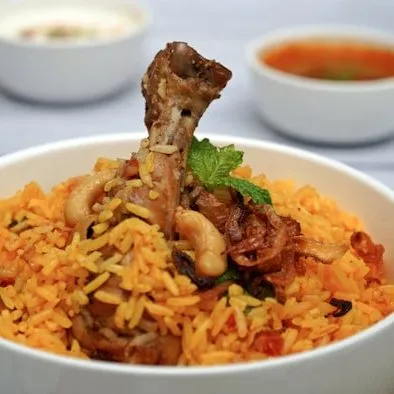
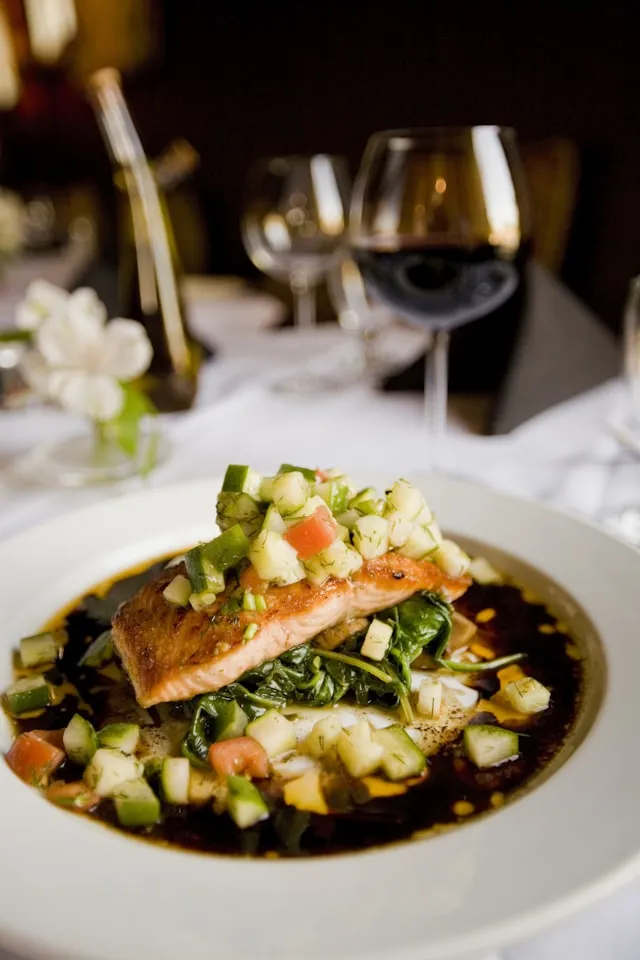

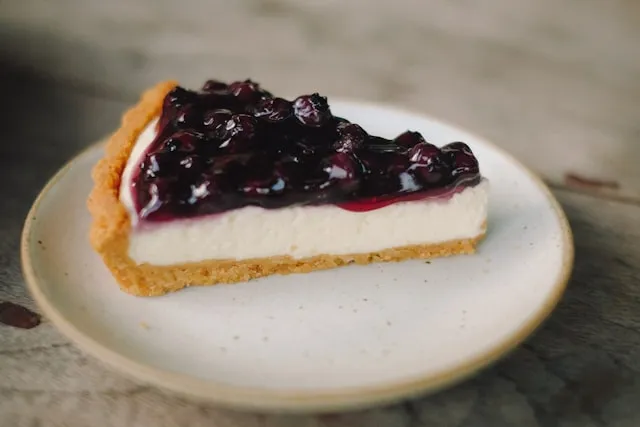
Choose how your menu reads
Many QR menus show every item the same way. Here you choose from 16 layouts.
And 12 more layouts — see them allYour colors and font carry across every layout.
Yella Studio
Your pro food photographer, in your pocket.
Shoot the dish on your phone and Yella Studio makes it menu-ready: better light, a background in your brand. Your real photo, never an invented dish.
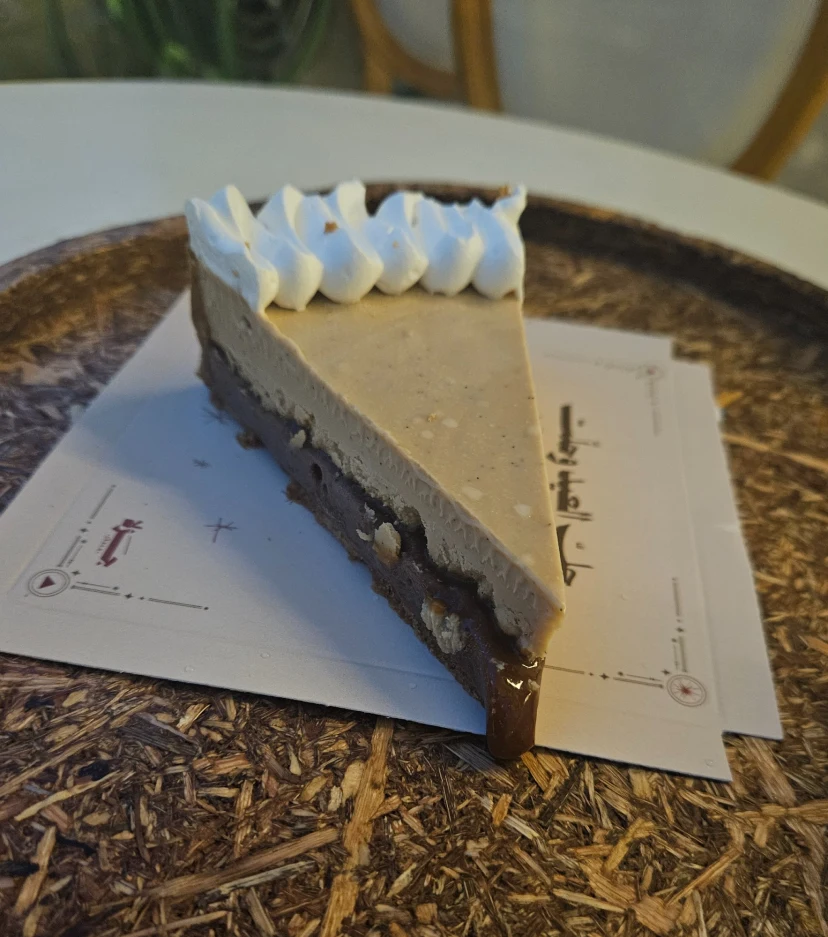
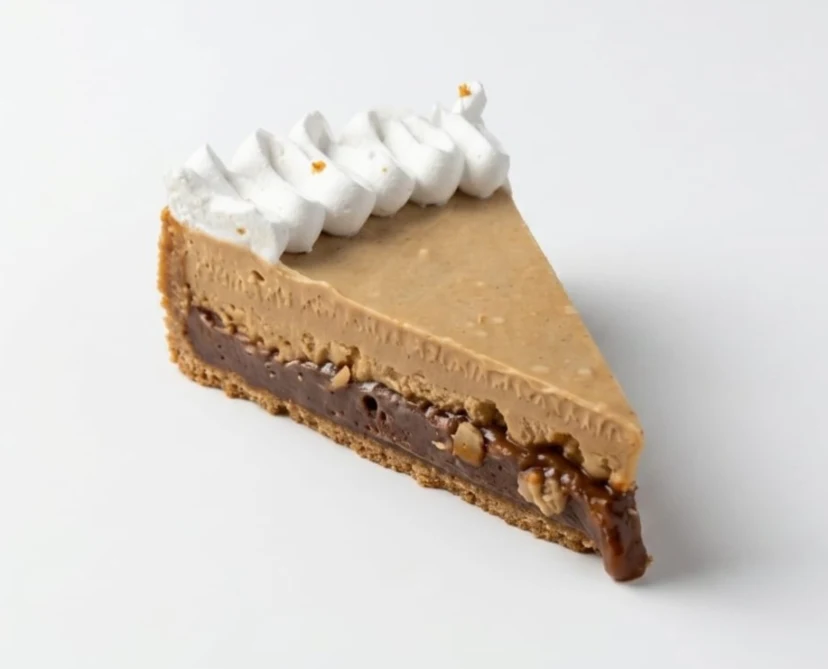
- Framing your photo as a menu card is free.
- AI tools use Yella credits from your plan.
- You approve every photo, and you can always keep the original.
Orders
From the menu to the kitchen
Guests order from their phone, and the whole order reaches you. No commission.
- 01
The guest picks and sends
Right from the menu: options, notes, quantity and a live total. No app, no account.
Example - 02
It lands with a bell
A full-screen alert on your Orders page, and a bell that repeats until someone on your team answers.
Example - 03
Accept it in one tap
The whole order in front of you: items, options and order type. Accept it, then tap Ready.
Example - 04
And the guest sees it's ready
The Track your order page updates by itself, so the guest knows when to collect.
Example
Every way to order, one menu
A QR code on each table fills in its number for you.
Ordering from the menu is on every plan, with no commission, and reaches your WhatsApp. On Yella Group orders are also recorded on the Orders page with alerts, guests can follow their order, and you can turn WhatsApp off. Guests pay at the table, at pickup, on delivery or at the car; online card payment is available on request, once Yella Menu approves your store.
7 days free, no card
To your car
Your order, brought to the car
The guest adds the car and plate, then taps “I'm here” when parked outside. You know which car before you step out.
Taking orders on WhatsApp? The car and plate come in the order message, and the guest gets a ready “I've arrived” message to send you.
Guests pay when the order reaches the car. The Track your order page and “I'm here” come with recorded orders on Yella Group.
7 days free, no card
Alerts
Never miss an order
A bell and a full-screen alert on the Orders page, and a count on every page, until someone answers.
A bell every 15 seconds
It rings on the Orders page until someone on your team answers, or the order is accepted on any screen.
A full-screen alert
Readable from across the kitchen, and the screen stays awake while the Orders page is open.
A count on every page
In the sidebar and the tab title, even while you edit the menu.
A browser notification
When the tab is in the background, a notification opens your Orders page.
The bell rings while the Orders page is open; other pages show the count and a browser notification. All of it needs a dashboard tab open on the device. Recorded orders and the Orders page come with Yella Group.
Simple from day one
Your menu, ready in minutes
Three steps, and you don’t start alone.
Sign up with your mobile
Pick your kind of place, and a sample menu is ready to start from.
Add your dishes
Names, prices and photos. Or send us your menu on WhatsApp and we set it up with you.
Pick a look and share
By QR code or link — and change anything later in seconds.
7 days free, no card
Our local team sets it up with you — you talk to us directly.
Send your menu on WhatsAppFor every kind of place
Made for how you serve
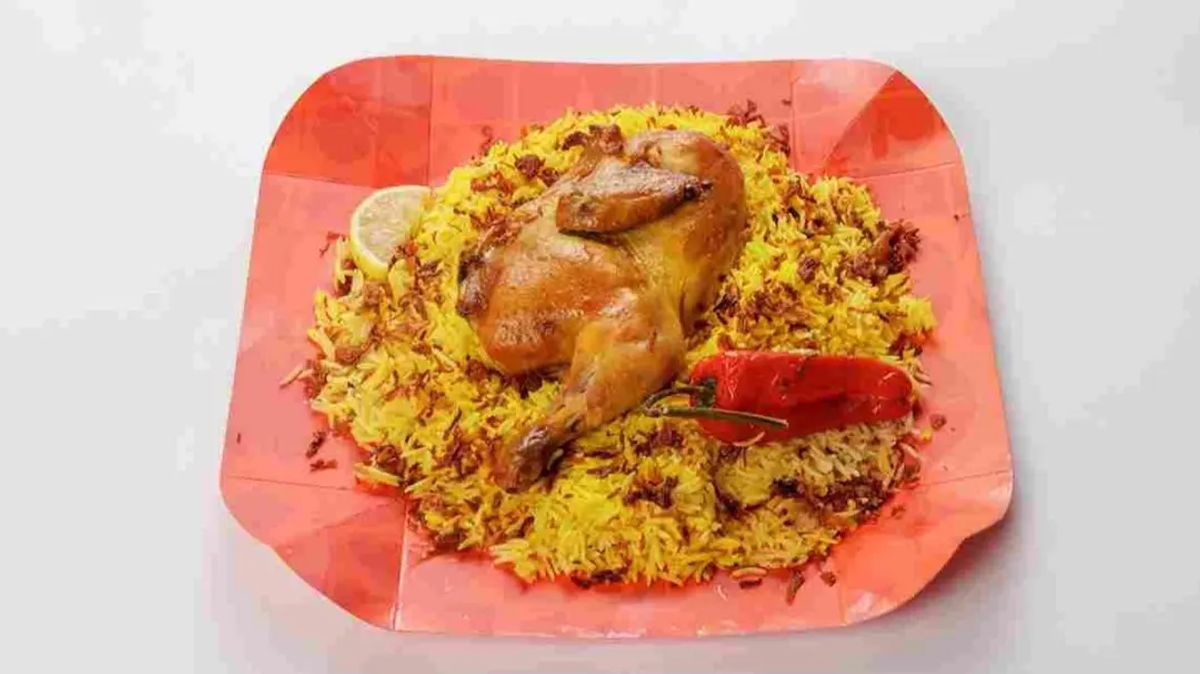
Restaurants
At the table, pickup or delivery, with the order on your Orders page or your WhatsApp.
Ordering from the menu
Drive-thru & roadside
Guests enter their car and plate, and you bring the order out to them.
To your carSeveral branches
Up to 5 branches on Yella Group, with prices per branch and one dish library.
Menus for several branches
And everything else you need
QR codes & links
A tagged link for every channel, with scan counts for each.
Arabic & English
The full menu in both languages, switched in one tap.
Menus by time
Breakfast, lunch, dinner — each menu switches by day and time.
Menu analytics
Visits, the dishes guests view, and your busiest hours.
Calories & allergens
Show calories and 14 allergens on every dish.
Print Studio
A printed menu and a PDF from the same menu.
Real menus
Different places. Each menu its own.
Open any example and browse it the way your guests do.
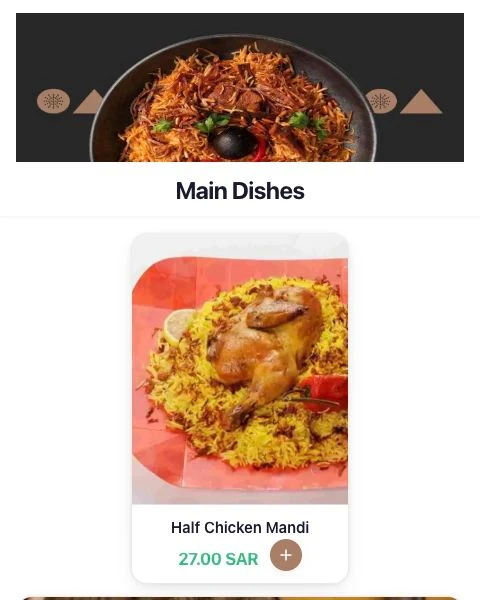

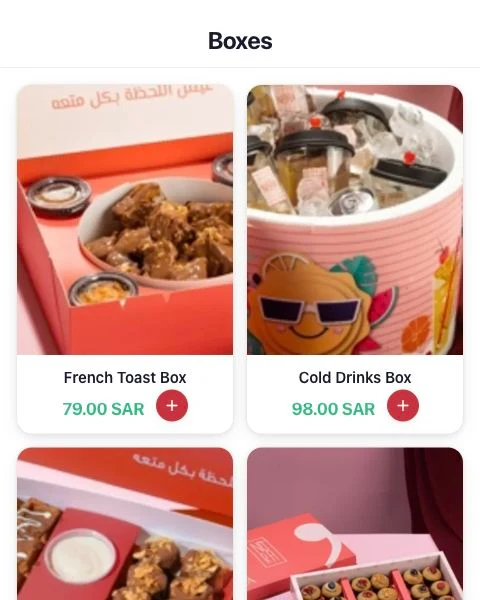
Captures of menus published on Yella Menu. Open any example to browse the current version.
Pricing
Annual plans that fit your restaurant.
Choose by items, menus and branches. Prices in SAR, paid yearly.
7 days free, no card
Yella Menu
300SAR/year
For small cafés and places with a short menu.
Set up your menu- 1 store
- 1 menu
- Up to 10 items
- 50 Yella credits, included once
The plan includes
- Analytics for the last 30 days
- A team: 1 manager and 3 staff (Not in this plan)
- Orders page with alerts (Not in this plan)
Recommended
Yella Menu Plus
800SAR/year
For most restaurants and cafés: one menu for breakfast, one for lunch, one for drinks.
Set up your menu- 1 store
- 3 menus
- Up to 100 items
- 200 Yella credits, included once
The plan includes
- Analytics for the last 6 months
- A team: 1 manager and 3 staff (Not in this plan)
- Orders page with alerts (Not in this plan)
Yella Group
1,500SAR/year
For 2 to 5 branches under one brand, with orders on an Orders page.
Set up your menu- Up to 5 stores
- 5 menus per store
- Up to 1,000 items
- 500 Yella credits, included once
The plan includes
- Analytics for the last year
- A team: 1 manager and 3 staff
- Orders page with alerts
Every plan includes ordering from the menu with no commission (at the table, pickup, delivery or to the car, sent to your WhatsApp), Arabic and English, a QR code, Yella Design and Yella Studio.
For larger restaurant chains
More branches and items, on a plan we agree with you.
Three things we never do.
We never invent a dish with AI.
Only your real photos, made menu-ready.
We take no commission on your orders.
Orders reach your Orders page or your WhatsApp. We take no cut.
Your guests never need an app or an account.
They open the menu in the phone browser and order.
Questions
Before you start.
How long does it take to set up?
Create an account, verify your phone, then add your items or start from a sample menu, and review the design before you publish. If you like, send us your menu on WhatsApp and we set it up with you. Time depends on the size of your menu.
Is Yella Menu easy to use?
Yes. The dashboard works in Arabic and English, and you see every design change before you publish. Set up options like sizes and add-ons once, add them to any item, and change a price in minutes.
Is Yella Menu an ordering or delivery app?
Yella Menu is your own menu, and guests order from it directly: at the table, for pickup, for delivery or to their car, with no commission. Every plan sends the order to your WhatsApp; on Yella Group it is also recorded on the Orders page with alerts, the guest can follow it, and you can turn WhatsApp off. It is not a delivery marketplace listing many restaurants: the menu and its guests are yours.
Can guests order and collect in their car?
Yes. The guest picks "To your car" and enters the car's make, colour and plate; you choose which fields are required. When they arrive they tell you with a ready-made WhatsApp message, or with an "I'm here" button on the Track your order page on Yella Group. They pay when you bring the order out.
How do I know a new order has arrived?
Orders reach your restaurant's WhatsApp. On Yella Group they also land on the Orders page, with a bell that repeats until someone responds and a full-screen alert, while that page is open on the device. Other dashboard pages show the waiting count, and a browser notification shows when the tab is in the background.
How do guests pay?
They pay you directly: at the table, at pickup, on delivery or at the car. Online card payment is available on request, once Yella Menu approves your store.
We already have a QR menu. Why switch?
Open your current menu and a live Yella Menu example on the same phone and compare. With Yella Menu you change prices, items and the look yourself, and guests order straight from the menu.
Do I need to take new photos?
No. Use the phone photos you already have, or start with a text menu. Yella Studio makes your real photo menu-ready. You approve every photo and can always keep the original.
Do guests need an account or an app?
No. Guests open the menu in their phone's browser and order from it, with no app or account.
Can I try it before I pay?
Yes. Try it free for 7 days with no card, then choose the annual plan that fits.
Where can I review the subscription terms?
Compare the plans on the Pricing page and review the Terms and Refund Policy before you pay.
Make the first impression sell for you, starting today.
7 days free, no card